Configuración
 Entrega rápida
 Tipos de pago


 Producto del mercado

Número de parte del fabricante 114993369
SENSECAP CARD TRACKER T1000-E
Seeed Technology Co., Ltd

Wireless LoRa Microcontrollers Single Board Computers XIAO
If you have been hearing buzz about protocols like Meshtastic or MeshCore but do not know where to start, you are in the right place. Both let you send encrypted text messages and sensor data over several kilometers with no cell service, Wi-Fi, or satellite subscription. You just need an inexpensive radio kit, open-source firmware, and (optionally) a smartphone. In this first part, I want to cover what LoRa is, how mesh networking works, and how the two protocols differ, along with the hardware I will use for the rest of the series.
This is the first part of our 6-part Intro to LoRa Mesh series. In the series, we will cover the following topics:
Because Meshtastic is more popular right now, I will focus on it for most of the series and cover MeshCore at the end.
LoRa is short for "long range." It is a proprietary modulation technique developed by Semtech, and depending on your antennas and line of sight, it can easily reach several kilometers.
LoRa defines the physical layer using chirp spread spectrum (CSS). The carrier frequency sweeps linearly over time and wraps back to the start when it hits a limit, and the point where that wraparound occurs defines the digital symbol. The advantage is that a chirp can be detected even when buried in noise, so receivers can pick out symbols at distances where the signal would otherwise be too weak.

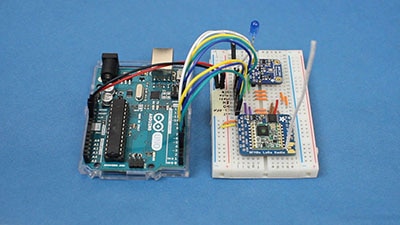
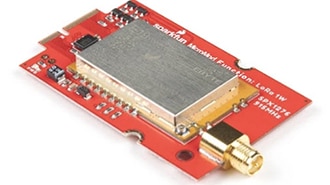
To communicate over LoRa, you need a compatible transceiver, such as those made by Semtech or HopeRF. Note: make sure you buy the right hardware for your region. Chips can often have their frequency changed in firmware, but the antenna must be tuned for the correct band. Check the region chart in the Meshtastic documentation for your country. In the United States and most of the Americas, Meshtastic uses the 915 MHz ISM band, so I set my region code to US and buy kits listing 915 MHz. In Europe, look for 433 MHz and 868 MHz hardware, with 868 MHz being more popular.
LoRa fits anywhere you need to send small amounts of data over long distances without reliable cellular or Wi-Fi, and it draws far less power than either. You will find it in solar-powered agricultural sensors, factory asset tracking, and wildfire detection systems.
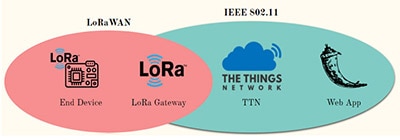
You may also have heard of LoRaWAN, a network protocol built on top of the LoRa physical layer and maintained by the LoRa Alliance rather than Semtech. It adds rules for topology, addressing, and security, and most commercial IoT deployments rely on it. You can use LoRa without LoRaWAN, though, and that is exactly what Meshtastic and MeshCore do.

You are probably familiar with the star topology, where multiple clients connect to one central hub, such as with Wi-Fi. In a mesh, there is no central node. Every device is treated equally, connects directly with others in range, and can forward messages on behalf of its neighbors. That forwarding is what makes it a mesh rather than a collection of point-to-point links.

Say device A wants to talk to device D but is out of range. A broadcasts, B rebroadcasts, C does the same, and the message eventually reaches D. This is known as multi-hop routing or "mesh networking."

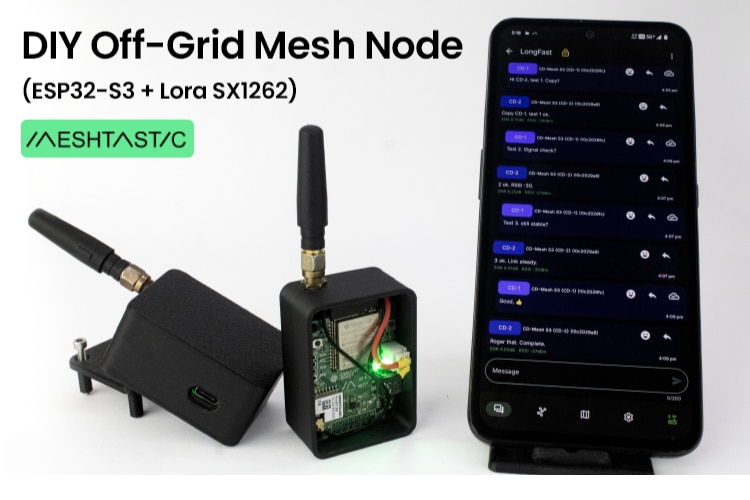
Meshtastic is a free, open-source project created by Kevin Hester in 2020 as a way to communicate when there is no reliable internet. It has gained a following among hobbyists and amateur radio operators thanks to its low cost of entry and ease of use. You need three things: the firmware, a device capable of running it, and a smartphone with the Meshtastic app, though a few standalone devices with keyboards let you skip the phone. With a node, you can send short encrypted text messages, share GPS locations, and transmit sensor data. This is handy for staying in touch on a hike, for backup communications when cell towers go down, or for long-range IoT sensor networks.
Meshtastic does have one notable weakness: confirming message delivery in congested networks. Messages are broadcast and rebroadcast up to a maximum hop count. There is some intelligence here; if a node hears a neighbor rebroadcasting the same message, it holds off, but rebroadcasts can still flood a busy network. Meshtastic supports delivery acknowledgements for direct messages, but an acknowledgement has to fight its way back through that same congested mesh and can get lost. You may not always know whether your message arrived, which is a real problem during an emergency.
MeshCore is a newer project that tackles this issue. It was developed by Scott Powell and Liam Cottle in 2024, after Cyclone Gabrielle devastated parts of New Zealand. It is younger than Meshtastic but gaining momentum, especially across Europe, and it is likewise free and open source.
Where Meshtastic aims for simplicity, MeshCore focuses on reliability and scalability. The biggest difference is that it splits devices into two roles: companions, the handheld devices, and repeaters, dedicated infrastructure nodes. Only repeaters forward traffic, saving battery and bandwidth on companions. That is a compromise, since it goes against the mesh principle of no specialized infrastructure.
MeshCore also uses intelligent routing that learns paths through the network. The first message between two nodes floods the mesh, but once delivered, the sender remembers the route so future messages follow it. Channel messages still flood. Cutting traffic this way supports more nodes, and acknowledgements travel back along the established path, so you are far more likely to see them.

That table might make MeshCore look like the obvious winner, but Meshtastic is older with a much larger community, and its firmware supports a number of popular sensors out of the box—a big deal for telemetry projects.
Meshtastic is best for ad hoc networks on the go, especially for beginners, since it does not depend on repeaters for a backbone. MeshCore is better for a city- or town-wide network of stationary repeaters, particularly for emergency communication. Meshtastic has the edge for last-mile IoT sensor nodes today, but if you are willing to install repeaters, MeshCore is worth a look.
Firmware for both projects is open source and can be ported to nearly any board with a LoRa transceiver, but I recommend starting with an officially supported kit; both the Meshtastic and MeshCore sites maintain device lists. Here is the Seeed Studio hardware I will use in this series:
Many mesh users build custom cases for their nodes, from protective shells to full cyberdecks. See my Intro to FreeCAD series if you want to design and 3D print your own.
LoRa gives you long-range, low-power communication with no subscription or infrastructure, and mesh networking lets a handful of cheap nodes stretch that range further. Meshtastic gets an ad hoc network running quickly, whereas MeshCore trades some simplicity for more reliable delivery and better scaling. Pick whichever matches the network you want to build, or try both, since the hardware is often interchangeable.
In the next tutorial, we will get hands-on: flashing Meshtastic firmware onto the T1000-E and XIAO kits, connecting over Bluetooth and USB serial, and sending our first messages across the mesh.