Settings
 Fast Delivery
 Payment Types


 Marketplace Product

Mfr Part # ABX00162
ARDUINO UNO Q 2GB RAM 16GB EMMC
Arduino

License: Attribution-NonCommercial-ShareAlike 3D Printer UNO Q Dream Lab Arduino
My wife often tells me I wear the same shirts over and over. I don’t do it on purpose. I just don’t remember. For me, picking out clothes to wear every day is a chore. A chore I would rather not do. I have some basic electronics skills and an Arduino Uno Q. I think I can over-engineer a solution.
I knew the basics of what I wanted from this project, but fleshing out every tiny detail alone can be daunting. After a detailed brainstorming session with my pal Chet (my nickname for ChatGPT), we came up with Qloset, an algorithm-based software and hardware solution that lets you never pick out clothes again. I gave Chet a list of parameters that I wanted to include in the software and had him help me build a prompt for Claude Code to help me code this project. I asked Claude to use the QR code example from the Arduino App Lab since it was already available and works great. While I would love to be a programmer and have tried several times to learn, it hasn't stuck. I am glad these tools are now available to help me bring my electronics projects to reality.
Chet thought it would be best to break the project into multiple smaller steps and test each one before moving on to the next. He made the right choice. I gathered all the parts I needed on my desk so I could start testing. I used a USB-C adapter to connect a monitor, keyboard, mouse, and the USB camera. I temporarily wired my switches and motion sensor to the Arduino's GPIO pins. During the programming test stages, I found details I missed or realized something didn’t work exactly as I had envisioned. It was much simpler to fix it during a small test than to make changes after coding a monolithic project like this one. After all the tests were complete, Claude put all the pieces together into one functional piece of software I could install on the Uno Q. I will upload all the code for this project to my GitHub.
I didn’t want Qloset to just pick a random piece of clothing and recommend it to me. I wanted something that would track when I last wore a piece and recommend what I haven’t worn in a while. I also have to wear different styles of clothing to work, on weekends, and for church. Clothing depends on the weather. I don’t want to wear shorts when it is cold outside or a sweater in 100℉ heat! I also like data, and if I am building something to track something, I might as well throw in some charts and graphs. I decided to track the purchase date and purchase amount so I can use those numbers to calculate the cost per wear of each article of clothing.
As much as I love the idea of never selecting a piece of clothing again, I knew I couldn’t blindly trust its recommendations, so I needed a way to override its suggestions while still tracking them in the database. I wanted to add a USB camera to scan QR codes that I would put on each of my clothes. I decided to use the Uno Q's microcontroller to add three navigation buttons and an LED to help light up the QR code for easier scanning. Each QR code ties a clothing item back to its ID in the database. I also added a PIR motion sensor to wake up the system monitor when I walk up, but I haven’t been able to get it to work properly with the Arduino Q Linux OS (yet). I started out using “CAD” (cardboard aided design) to figure out exactly how I wanted to lay out the control panel. Once I have it figured out, I’ll use the “CAD” design to create an actual 3D model I can print on my 3D printer.
A backend manages the clothes in my closet and displays the statistics I am tracking. It tells me when I haven’t worn a piece of clothing in over 90 days so I can decide whether it is time to donate it. It will also generate QR codes. A tagging system helps the algorithm choose which clothes to recommend. I was starting to dread taking my clothes out of the closet and photographing them for the project. Then I had the brilliant idea to steal borrow the photos of the clothes from the website where I purchased them. This saved me a ton of time, and if I am being honest, the photos are a thousand times better than the ones I could have taken.
I then turned my cardboard model into a 3D design and printed it on my 3D printer. On the back, I also added some screw holes that match the mounting holes on the Arduino Uno Q (measurements are available on the datasheet). I wanted to add some retro-looking labels, so I used my embossing label maker and stuck them to the panel.
I soldered the buttons to the Arduino using right-angle male pin headers and added heat shrink over the connections for a clean look. I also soldered on the LED that lights up when you are scanning a QR code. I fastened the LED with high-temp thermoplastic adhesive (hot glue).
Next, I worked on the QR codes for my clothes. I watched a few YouTube videos on how crafters added custom tags to the fabric items they make. They used heat transfer paper, print their designs onto it, and then used an iron to press the image onto ribbon. It looked like a fairly straightforward process, so I ordered the transfer paper and ribbon. In the meantime, I used the Qloset software to download the QR codes for my clothes. I arranged them in photo-editing software so they would be ready to print. When my paper arrived, I printed the QR codes and followed the paper’s included instructions to press them onto the ribbon. It worked surprisingly well.
Now I needed a way to permanently attach the labels to my clothes without damaging them. After looking inside my shirts, I noticed they all already had a tag sewn in. I decided to take advantage of that and sewed my tag to the existing tag.
With all the loose ends tied up, it was time for the final install. I did the install in my closet. I cleared out a shelf of my wife’s shoes and set up Qloset. I used a portable UBC C monitor and a wireless mouse and keyboard. I ended up using a USB microscope to read the QR codes. The regular webcam had issues scanning smaller QR codes. I angled the camera on its stand so it pointed only at the QR code opening. No one wants a camera watching them in their closet.
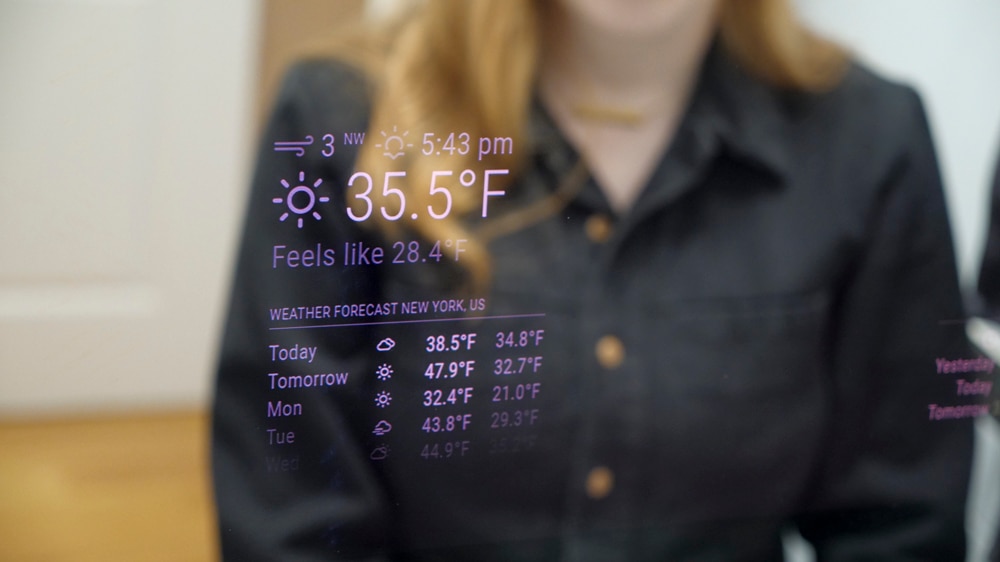
After installing Qloset in my closet, I tested all the functionality. Here is how it works. When you walk into your closet, Qloset greets you with a nice greeting. shows you the weather forecast for the day and then shows the outfit recommendations for the day. You can either select the “Wear” button to accept its recommendation, or click “Change” to pick your own outfit.
If you select “Wear”, it logs your choice in the database and adds a wear count to each piece of clothing, and you can walk out of your house knowing that you are not wearing the same outfit you just recently wore.
If you select “Change,” it brings up the camera preview, illuminates the LED, and you can place your QR code in the opening to scan the item. You can scan additional items if you would like. Then you press the “Done” button, and it logs your choice in the database and adds a wear count to each clothing item.
I would like to continue working on the software in this project. I’d like it to use color theory to help me match more often. This may also help people who are colorblind. I also want to expand the functionality from recommending only tops and bottoms to also include hats, belts, socks, and shoes. Overall, this was a fun project to build with the Arduino Uno Q. I can’t wait to see what my brain dreams up for the next project with this neat little board.