Settings
 Fast Delivery
 Payment Types


 Marketplace Product

Mfr Part # ABX00173
ARDUINO UNO Q 4GB RAM 32GB EMMC
Arduino

License: Attribution 3D Printing UNO Q Dream Lab Arduino
This is DIT, my Tamagotchi that teaches you Morse Code.
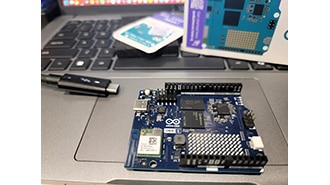
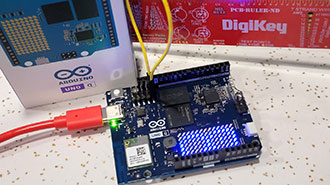
While at OpenSauce this past year, I met the ByteSizedEngineer. I got to show him my polaroid camera project, and he gave me an Arduino Uno Q board with the challenge to make something cool with it and enter the #UNOQDreamLab.
That got me thinking about how I could use the full capability of this board.
So I got to work on a retro-radio-looking Tamagotchi.
I wired up the keyer input, the rotary encoder module, the momentary 'redo button', the 2.42 inch OLED display, and the buzzer to the board and began modeling up the enclosure in CAD.
My 3D print files and bill of materials are included in the GitHub repo at the end.
I 3D printed the enclosure out of Bambu Lab Navy PLA-CF, and the faceplate was made of black ABS, which was vapor-smoothed.
I assembled the entire enclosure and got to the coding.
Full transparency: I am a mechanical engineering student, not a computer science major, but I was able to get through this project in about a week with the help of Claude Code. Plus, the Arduino App Lab application made the interface with the LLM surprisingly easy.
The code that I used is in the GitHub repo as well.
Project Features:
DIT is a Tamagotchi with a health bar that depletes in 48 hours. You feed him by practicing Morse code. There are basic flash cards, audio imitation games, and free-write apps built into the software.
DIT runs locally, meaning he functions without any internet connectivity.
You interface with DIT through the rotary encoder, which brings up a main menu with all the games and settings.
There is a 'redo/undo' button in case you ever enter an incorrect character or want to hear the Morse tones again.
The Keyer input is routed through a 1/8-inch audio jack so an external keyer can be used.
The neat part is that you can interface with the LLM in a "radio simulator" mode where you key a message and a small LLM (Gemma 3 1B model) responds according to context. The idea is to get practice communicating without having to go on the air. Obviously it's a little clunky, and it's no real substitute for real radio practice, but it's a fun little bit.
All dots and dashes are interpreted as text by the microcontroller. That text is then fed to the basic chat model in the Arduino App Lab. The output is then displayed on screen and played over the buzzer in Morse tones.
All the basic games, like flashcards, run on the microcontroller half of the board, while the LLM processing takes place on the Linux microprocessor side.
DIT has lots of user interface features, including the ability to shut down the screen after 8:00 pm and boot back up at 8:00 am. DIT even includes some Easter eggs where if you key a specific word like "party" while he is in his standby animations, he will flash a fun little custom animation for a few seconds.
If DIT goes too long without being fed, he will die, and your streak will be reset to zero. RIP DIT.
DIT has been super fun to build and has actually improved my understanding of Morse code.
I was surprised how easy it was for a mechanically minded person such as myself to get into electronics projects with the help of AI. I feel like I can actually build applicable projects beyond blinking LEDs.
Big thanks to the ByteSizedEngineer for the challenge!
If you want to build and improve your own, all files are linked in this GitHub repo